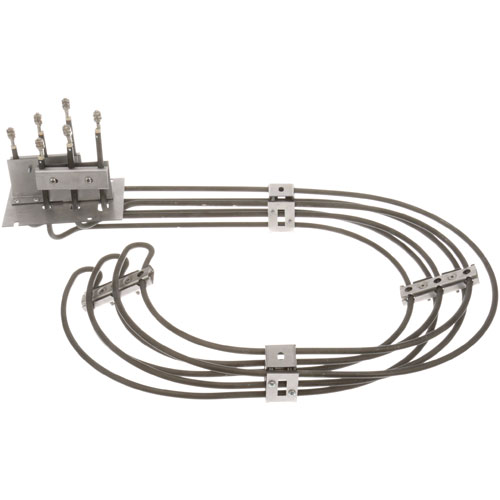

Duke 153643 Heating Element Assembly 10000W 240V
Specifications:
| Attribute | Details |
|---|---|
| Element Assembly | |
| [ 240V 10000W 1 Ph ] [ 23.5" X 15" X 9" ] | |
| [Terminals {Screw 10-32 } | |
| Duke Oven |
Description
More Information:
- DUKE:153346 ,153643 ,153930
Step1: Disconnect power supply and ensure oven is completely cool for safety before starting always carefully.
Step2: Remove rear panel to access the old element carefully.
Step3: Detach screw terminals and note wiring positions before removal.
Step4: Install new element aligning screw terminals and secure firmly.
Step5: Reconnect wiring exactly as noted and tighten connections properly.
Step6: Reassemble panel, restore power, and test heating operation safely.
Customer Reviews
No reviews yet. Be the first to write one!
Write a Review
-
What maintenance is required for the Duke 153643 Element Assembly W/ Screw Terminals?
Regularly inspect the oven element for signs of wear, corrosion, or damage. Keep terminals tight and free from grease buildup. Ensure proper electrical connections and avoid moisture exposure. Disconnect power before handling to prevent electrical hazards and ensure proper functioning.
-
What are common issues with the Duke 153643 Element Assembly W/ Screw Terminals?
- Element not heating or uneven heating.
- Burnt-out or broken heating coil.
- Loose or faulty screw terminal connections.
- Electrical short or intermittent power supply.
- Visible damage such as cracks or warping.