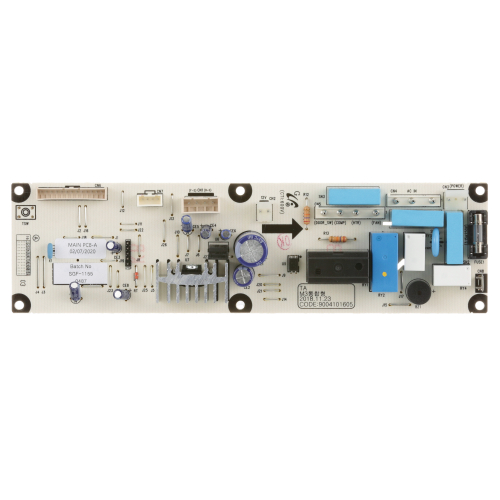

Turbo Air 30243R2000 Refrigerator Main PCB
Specifications:
| Attribute | Details |
|---|---|
| Control Board | |
| Master-Bilt | |
| Turbo Air For Models Mdf |
Description
More Information:
- MASTERBILT:02-71536 ,02-72611 ,2-72611 ,MB02-72611 ,MB2-72611||TURBO AIR:30243L0206 ,30243L2105 ,30243R2000 ,TRBA30243L2105 ,TRBA30243R2000
Step1: Disconnect Refrigerator power at main switch; ensure unit fully isolated.
Step2: Open control panel and remove old PCB carefully noting wiring connections.
Step3: Install new PCB aligning connectors and securing all wiring firmly.
Step4: Secure board, close panel, restore power supply.
Step5: Check grounding and ensure no loose terminals remain inside.
Step6: Run diagnostic cycle and verify cooling performance and error codes.
Customer Reviews
No reviews yet. Be the first to write one!
Write a Review
-
What maintenance is required for the Turbo Air 30243R2000 Main PCB?
Inspect the main PCB regularly for loose wiring, corrosion, or moisture buildup. Keep the control area clean and dry to prevent electrical faults and communication errors. Disconnect power before servicing the PCB to reduce the risk of electrical shock or component damage.
-
What are common issues with the Turbo Air 30243R2000 Main PCB?
- No power output or intermittent failure due to PCB fault.
- Communication error with compressor or sensors.
- Burnt components from voltage fluctuations.
- Relay or circuit switching failure.