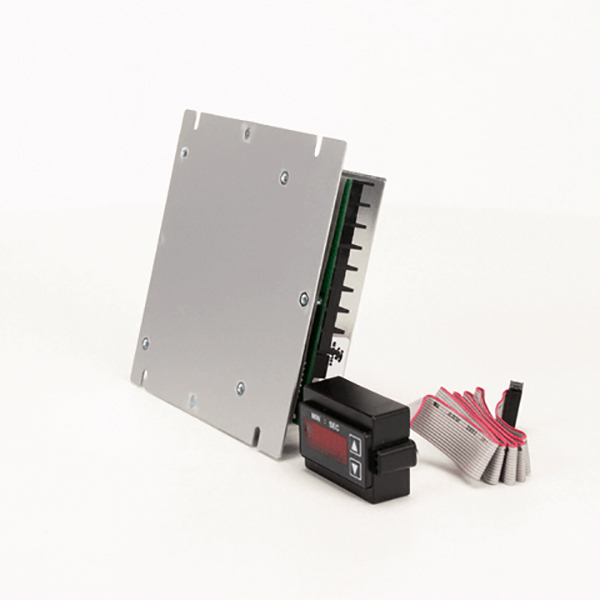

Middleby Marshall 31020 Oven Speed Control Board W/ Remote Digital Display 5-3/8" x 5-1/2"
Specifications:
| Attribute | Details |
|---|---|
| Speed Control Board, 5-3/8" X 5-1/2" National Controls With | |
| Remote Min/Sec Lcd Digital Display &, 30" Ribbon Cable, | |
| For Digital Display Only Use # 44-1518 | |
| Middleby Marshall Be2136, Be3240, Bg2136, | |
| Ps224-R68, Ps520E, Ps520G, Ps536Gs, Ps540E, Ps540G, Ps555, | |
| Ps570G, S1820 |
Description
More Information:
- MIDDLEBY MARSHALL:-42810-0133 ,28074-0004 ,28074-0012 ,28074-0018 ,31020 ,37337 ,42810-0133 ,45133 ,58323 ,60542 ,64149 ,TA45133
Step1: Disconnect power to the oven and allow components to cool.
Step2: Remove front control panel to access the existing speed control board.
Step3: Label and disconnect all wiring, including ribbon cable to display.
Step4: Unscrew and carefully remove the old board.
Step5: Mount the new board securely in the same position.
Step6: Reconnect ribbon cable and all electrical connections per labels.
Step7: Restore power and test conveyor speed control and digital display for proper operation.
Customer Reviews
No reviews yet. Be the first to write one!
Write a Review
-
What maintenance is required for the Middleby Marshall 31020 Speed Control Board W/ Remote Digital Display?
We should ensure periodic inspection of electrical connections and clean dust from the control board enclosure. Check display wiring for looseness and secure mounting. Regular preventive checks help maintain accurate speed control and reduce unexpected oven performance failures.
-
What are common issues with the Middleby Marshall 31020 Speed Control Board W/ Remote Digital Display?
- Erratic oven belt speed control.
- Unresponsive or flickering remote display.
- Faulty control board causing intermittent operation.
- Wiring or connector failure leading to signal loss.