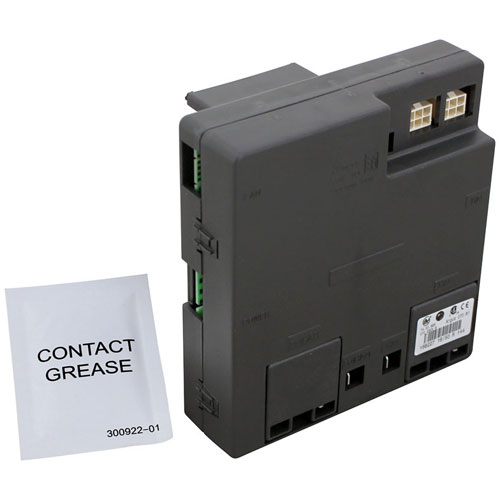
Rational 74.00.883 Automatic Ignition Controller
$534.18
Price reduced from
$541.76
Specifications:
| Attribute | Details |
|---|---|
| Null |
Description
The Rational 74.00.883 Automatic Ignition Controller function to ensure safe burner ignition operations within Rational ovens. This component operates the ignition system automatically to deliver dependable operational results and minimize equipment breakdowns. This controller is to increase energy savings while decreasing downtime and delivering precise temperatures needed for cooking outcomes. The product features both durability and simple installation which makes it a dependable solution for maintaining oven functions. A properly optimized ignition system based on this controller maintains kitchen operations without disruption to allow chefs to prepare high-quality food exclusively.
More Information:
- RATIONAL:70.01.530S ,74.00.883 ,RAM74.00.883
Step1: Disconnect power and shut off the gas supply to appliance.
Step2: Open the control panel to access ignition controller.
Step3: Label and disconnect wiring from old controller.
Step4: Remove mounting screws and take out unit.
Step5: Install the new ignition controller and secure firmly.
Step6: Reconnect wiring, close the panel, restore power, and test ignition sequence.
Customer Reviews
No reviews yet. Be the first to write one!
Write a Review
Thank you! Your review has been submitted.
-
What maintenance is required for the Rational 74.00.883 Ignition Controller?
Regularly inspect the controller for dust, grease, or loose connections. Wipe the exterior with a dry cloth and ensure all wiring is secure. Avoid moisture exposure. Proper maintenance ensures accurate ignition and prevents operational interruptions.
-
What are common issues with the Rational 74.00.883 Ignition Controller?
- Failure to ignite the burner.
- Delayed or inconsistent ignition.
- Electrical connection faults.
- Controller malfunction from moisture or debris.