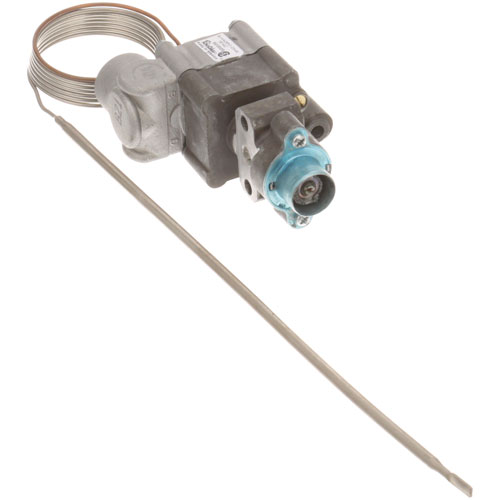
Vulcan Hart 00-922020 Oven BJ Thermostat 48" Cap Low -500°F
Specifications:
| Attribute | Details |
|---|---|
| Bj Thermostat, Low - 500°F, 48" Cap Tube, 3/16" X 10" Bulb, | |
| Outlet 1/4" Npt - Position C-Rear And "O" Housing Rotation. | |
| Uses Knob Ap# 8009111 | |
| Fits Vulcan Hart Moddels~ | |
| 36C, 36S, C36C, C36S |
Description
More Information:
Step1: Disconnect power and gas supply and allow oven to cool completely.
Step2: Remove control panel to access old thermostat.
Step3: Carefully disconnect capillary bulb and wiring connections.
Step4: Mount new thermostat securely in bracket.
Step5: Route capillary tube without sharp bends, avoid kinks, place sensing bulb in correct oven location.
Step6: Reconnect wiring, restore power, test temperature control and calibration.
Customer Reviews
No reviews yet. Be the first to write one!
Write a Review
-
What maintenance is required for the Vulcan Hart 00-922020 BJ Thermostat?
Regularly inspect and calibrate the thermostat to ensure accurate oven temperature control. Check the capillary tube and sensing bulb for kinks or leaks and clean connections to prevent buildup. Ensure secure mounting and proper insulation for safe operation.
-
What are common issues with the Vulcan Hart 00-922020 BJ Thermostat?
- Inaccurate temperature regulation.
- Capillary tube damage or leakage.
- Thermostat failure causing overheating or underheating.
- Inconsistent oven cycling.
- Sensor misalignment.
- Electrical contact wear.
- Slow response to temperature changes.