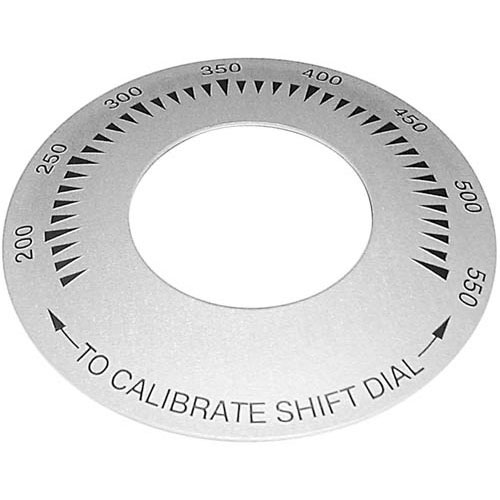

Keating 060105 Griddle Dial Plate 3" DIA 200-500°F
Specifications:
| Attribute | Details |
|---|---|
| Dial Plate, 3" Dia Plate With 200-500 F, | |
| Old Style Was 200-550 F. | |
| For T'Stat # 46-1593 And Pointer Knob # 22-1409 | |
| Keating Griddle |
Description
More Information:
- KEATING:035950 ,058038 ,060105 ,35950 ,58038 ,60105 ,KEA035950 ,KEA060105 ,KEA35950
Step1: Turn off the griddle and disconnect power to ensure safety.
Step2: Allow the unit to cool completely before starting installation.
Step3: Remove the control knob carefully from the existing dial.
Step4: Unscrew or unclip the old dial plate from the control panel.
Step5: Align the new dial plate correctly with mounting holes.
Step6: Secure it firmly using screws or clips provided.
Step7: Reattach the control knob and restore power.
Customer Reviews
No reviews yet. Be the first to write one!
Write a Review
-
What maintenance is required for the Keating 060105 Dial Plate?
Clean the griddle dial plate surface to keep markings visible and free from grease buildup. Check alignment with the control knob for accurate readings. Ensure it remains securely mounted. Routine care ensures clear temperature indication and accurate operation.
-
What are the common issues with the Keating 060105 Dial Plate?
- Markings are fading or becoming unreadable.
- Misalignment with control knob affects accuracy.
- Surface wear is reducing visibility.
- Loose mounting causing improper positioning.