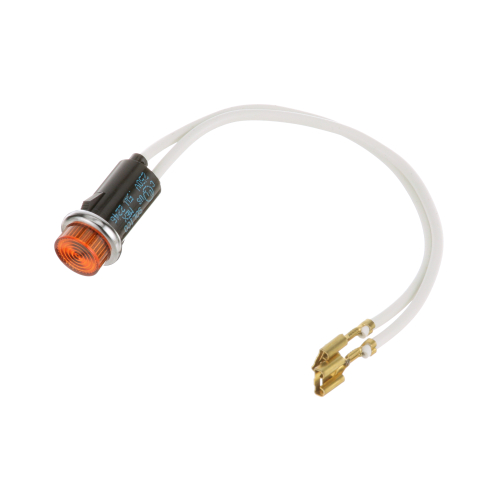
Duke 215555 Warmer Amber Indicator Light 240V
Specifications:
| Attribute | Details |
|---|---|
| Color | Amber Lens |
| Voltage | 240 Vac |
Description
More Information:
- DUKE:2068 ,215555 ,DUK2068 ,DUK215555
Step1: Disconnect power from the equipment and verify it is fully de-energized before starting.
Step2: Remove the control panel or indicator lens cover to access the existing light assembly.
Step3: Gently twist out the old indicator light from its socket without stressing wiring.
Step4: Insert the new indicator light firmly into the socket, ensuring correct seating and alignment.
Step5: Reassemble the panel, restore power, and test for proper amber illumination.
Customer Reviews
No reviews yet. Be the first to write one!
Write a Review
-
What maintenance is required for the Duke 215555 Indicator Light?
Regularly check the indicator light for consistent illumination and ensure it is securely mounted. Clean the lens to maintain clear visibility. Inspect electrical connections for wear or corrosion. Always turn off power before servicing to ensure safety.
-
What are common issues with the Duke 215555 Indicator Light?
- Light not turning on during operation.
- Flickering or dim illumination.
- Loose or faulty wiring connections.
- Burnt-out internal bulb or LED.
- Discoloration or reduced visibility of the lens.