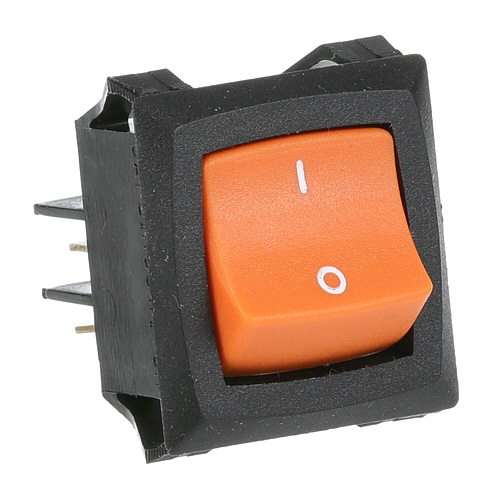
Duke 156527 Holding Cabinet Rocker Switch DPST ON/OFF
Specifications:
| Attribute | Details |
|---|---|
| Rocker Switch, On/Off | |
| Duke Fwm3-24 |
Description
More Information:
- DUKE:155640 ,156527 ,DUK155640 ,DUK156527
Step1: Turn off and disconnect power to the equipment before starting installation.
Step2: Remove the access panel to reach the existing power switch.
Step3: Label and disconnect the wires from the old switch carefully.
Step4: Remove the defective switch from the mounting panel.
Step5: Install the new power switch securely in place.
Step6: Reconnect wires to the matching terminals and verify tight connections.
Step7: Reattach the panel, restore power, and test switch operation safely.
Customer Reviews
No reviews yet. Be the first to write one!
Write a Review
-
What maintenance is required for the Duke 156527 Power Switch?
Inspect the power switch regularly for loose wiring, corrosion, and heat damage. Keep connections tight and clean to ensure reliable operation. Replace worn components promptly. Always disconnect power before servicing to avoid electrical shock or injury.
-
What are common issues with the Duke 156527 Power Switch?
- Switch fails to engage or respond.
- Intermittent operation due to loose wiring.
- Overheating or burned contacts.
- Corrosion on terminals causing poor conductivity.
- Mechanical wear inside switch mechanism.
- Electrical arcing during operation.