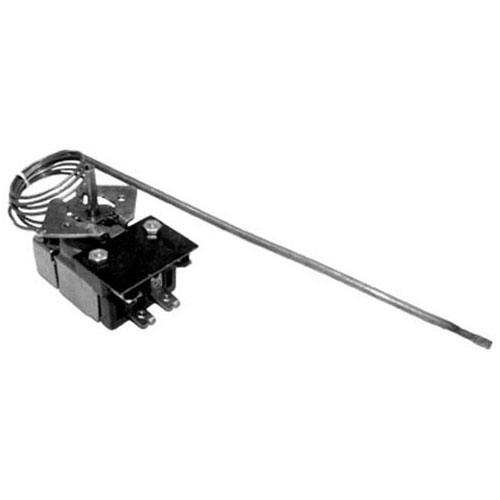

Bakers Pride M1022X Oven Thermostat W/ Blub 3/16 X 12-1/4
Specifications:
| Attribute | Details |
|---|---|
| [ T'Stat - Sj ] [ Temp 300-650 ] | |
| [ Bulb 3/16" X 12-1/4" ] [ Cap 72" ] | |
| [ Dial To Use # 221205 Off-700-300 ] | |
| Bakers Pride |
Description
More Information:
- BAKERS PRIDE:AS-M1019X ,AS-M1022X ,BKPM1022X ,M1019X ,M1022X||GARLAND:1948302
Step1: Turn off power to the oven and unplug it to ensure safety.
Step2: Remove the oven’s access panel to reach the existing thermostat.
Step3: Disconnect wiring and carefully remove the old thermostat.
Step4: Securely mount the new thermostat in the same location.
Step5: Reconnect wires according to the original layout.
Step6: Replace the access panel, restore power, and test the oven for correct temperature operation.
Customer Reviews
No reviews yet. Be the first to write one!
Write a Review
-
What maintenance is required for the Bakers Pride M1022X Thermostat?
Regularly test the oven thermostat for accurate temperature readings using an thermometer. Check wiring and terminals for signs of corrosion or looseness. Keep the surrounding area clean and free from grease buildup. Proper control ensures safe, consistent baking performance.
-
What are common issues with the Bakers Pride M1022X Thermostat?
- Oven failing to reach the set temperature.
- Inconsistent heating or hot spots.
- Thermostat not activating heating elements.
- Erratic or delayed temperature response.